> For the complete documentation index, see [llms.txt](https://docs.iexexchanger.com/llms.txt). Markdown versions of documentation pages are available by appending `.md` to page URLs; this page is available as [Markdown](https://docs.iexexchanger.com/guide/sait/onlain-chaty/podklyuchenie-jivosite/opcii-dlya-jivosite.md).
# Опции для JivoSite
{% hint style="danger" %}
Данная функция доступна только на платных тарифах JivoSite.
Перед настройкой убедитесь, что [онлайн-чат JivoSite ](/guide/sait/onlain-chaty/podklyuchenie-jivosite.md)подключён к вашей системе.
{% endhint %}
В панели управления откройте раздел **«Настройки — Общие настройки».**
После этого перейдите в блок **«Дополнительно»**, откройте пункт **«Онлайн-чат»** и выберите вкладку **«Опции для JivoSite».**
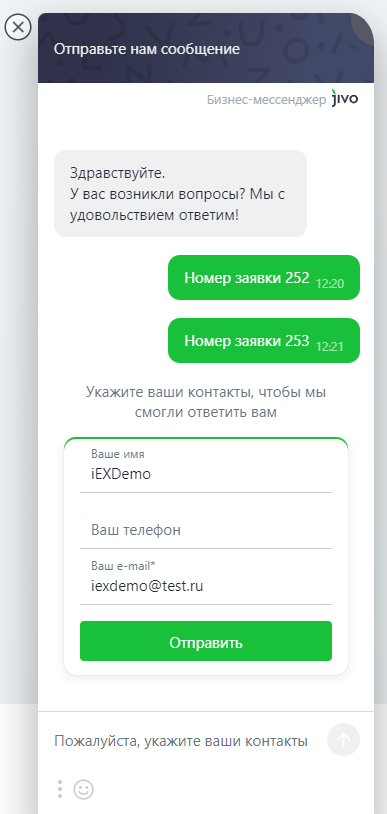
**Разрешить отправить сообщение в чат о новой заявке —** Этот параметр определяет, когда система будет автоматически отправлять сообщение о новой заявке в чат JivoSite.
Доступные варианты:
* Не отправлять — сообщения в чат не будут отправляться.
* Да, при создании заявки — сообщение появится в чате сразу после нажатия клиентом кнопки «Перейти к оплате».
* Да, при нажатии кнопки «Я оплатил» — сообщение будет отправлено, когда клиент подтвердит оплату.
**Текст сообщения о новой заявке —** Укажите текст, который будет автоматически отправляться в чат при создании заявки.
Вы можете использовать специальные теги, чтобы система подставляла нужные данные автоматически.
```
Ваш номер заявки: [publicId]
Вы продаёте: [amountIn] [codeIn]
Получаете: [amountOut] [codeOut]
----
[fieldsOut]
```
**Разрешить отправить информацию о клиенте в чат —** Если включить эту опцию, система автоматически подставит в чат данные клиента — его имя, email, телефон и другие сведения, указанные при создании заявки.
Это удобно: оператор сразу видит, кто обратился, и может быстрее помочь клиенту.