> For the complete documentation index, see [llms.txt](https://docs.iexexchanger.com/llms.txt). Markdown versions of documentation pages are available by appending `.md` to page URLs; this page is available as [Markdown](https://docs.iexexchanger.com/guide/sait/onlain-chaty/podklyuchenie-jivosite.md).
# Подключение JivoSite
[Интеграция JivoSite позволяет](https://www.jivo.ru/help/installation/nachalo-raboty-s-jivosite.html) принимать обращения клиентов прямо с сайта, вести онлайн-чат, обрабатывать заявки и повышать качество поддержки. Подключение выполняется через настройки панели управления и требует App ID, полученного в личном кабинете JivoSite.
Регистрация в JivoSite
***
## Получение App ID в JivoSite
Для начала необходимо получить идентификатор чата в панели JivoSite.
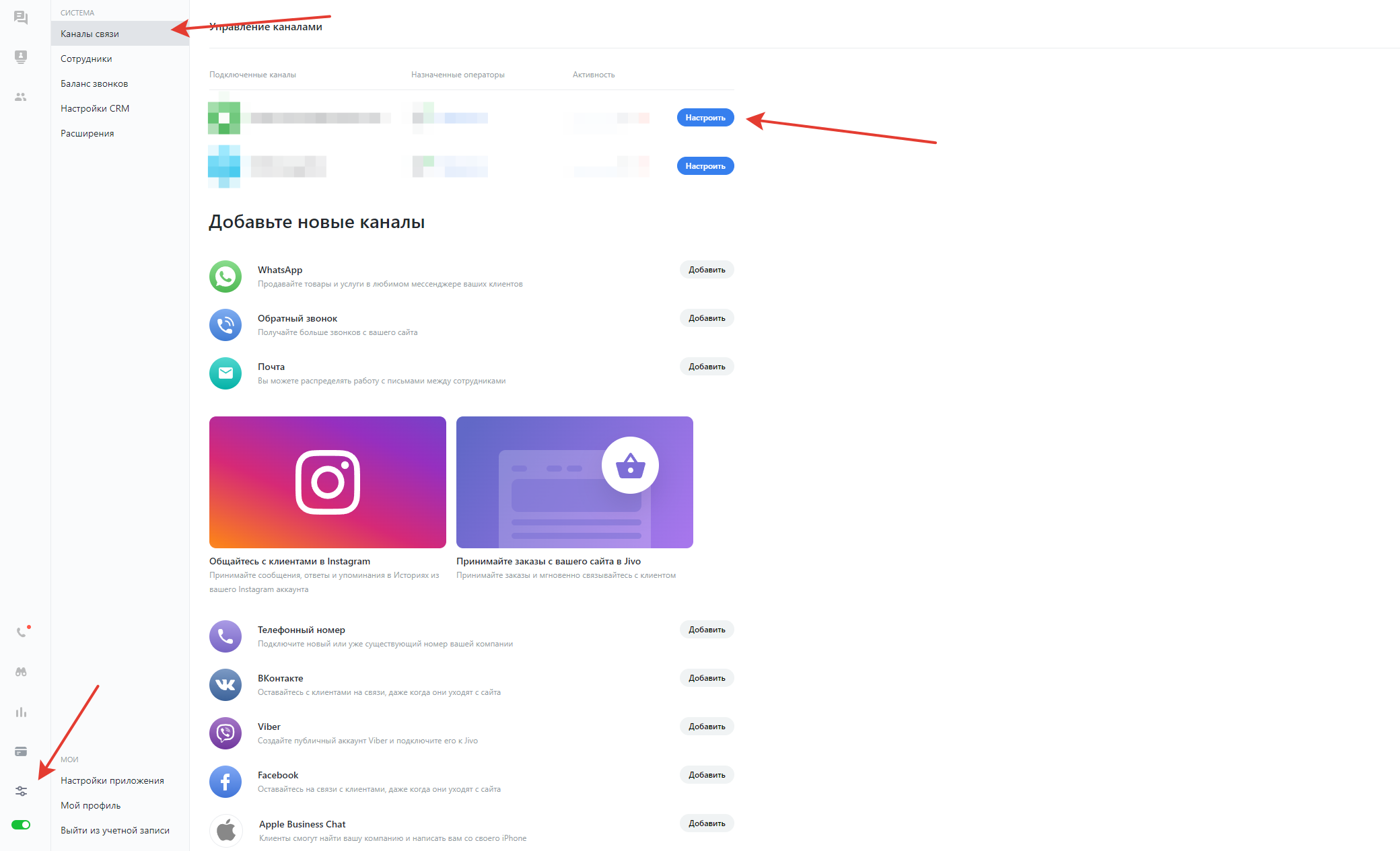
Войдите в личный кабинет JivoSite и перейдите в раздел **«Управление — Каналы связи»**.
Выберите сайт, который вы добавили ранее, и откройте его настройки.
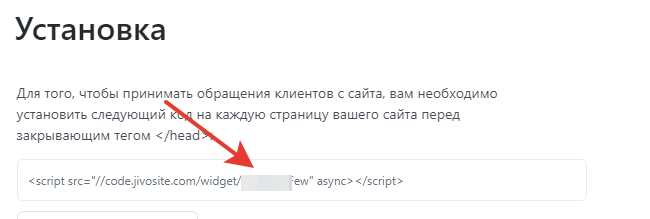
В настройках сайта перейдите в раздел «Установка» и скопируйте App ID (идентификатор приложения).
Этот идентификатор используется для подключения чата к вашему сайту.
***
## Настройка в панели управления
После получения App ID перейдите в панель управления вашего сайта.
Откройте раздел **«Настройки — Онлайн-чат».**
На странице настроек выполните следующие действия:
* включите опцию **«Включить онлайн чат»;**
* в поле **«Тип онлайн чата»** выберите JivoSite;
* в поле **«App ID»** вставьте скопированный идентификатор из панели JivoSite.
После ввода данных нажмите «Сохранить».
***
После сохранения настроек онлайн-чат JivoSite будет автоматически отображаться на сайте. Клиенты смогут отправлять сообщения, а операторы — отвечать на них в реальном времени через интерфейс JivoSite.
Подключение не требует дополнительной установки скриптов вручную — вся интеграция выполняется через панель управления.
### Рекомендуемые ссылки
{% content-ref url="/pages/erweVrMxRuEPR0cYahR8" %}
[Опции для JivoSite](/guide/sait/onlain-chaty/podklyuchenie-jivosite/opcii-dlya-jivosite.md)
{% endcontent-ref %}